


Inbox
Stop
 chasing threads.
Start
closing deals.
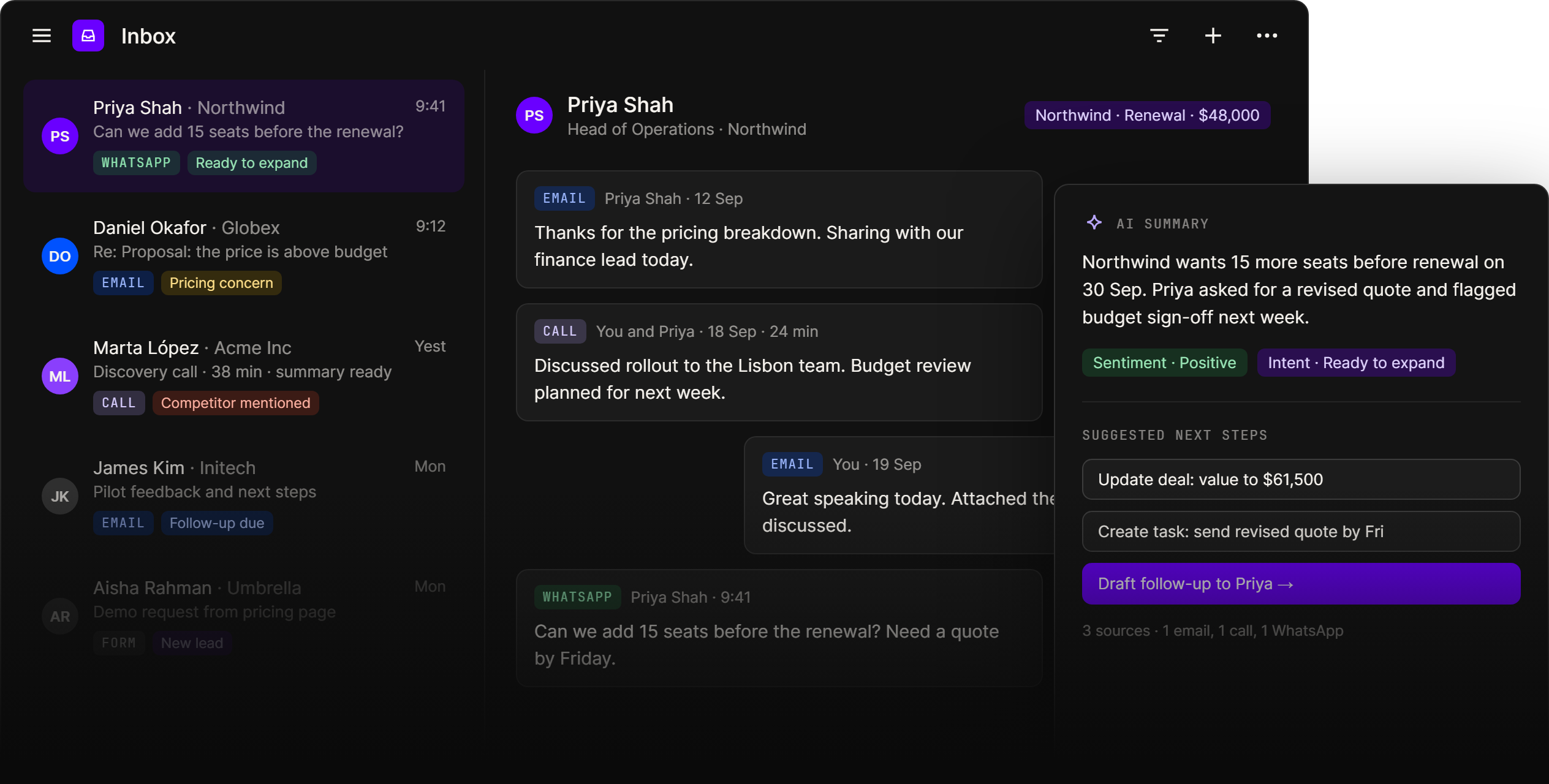
Inbox puts email, WhatsApp and call transcripts in one thread per contact, matched to the right company and deal, with an AI summary, sentiment and intent on every conversation your team and agents can act on.
Brings in conversations from
01
One thread per contact, every channel
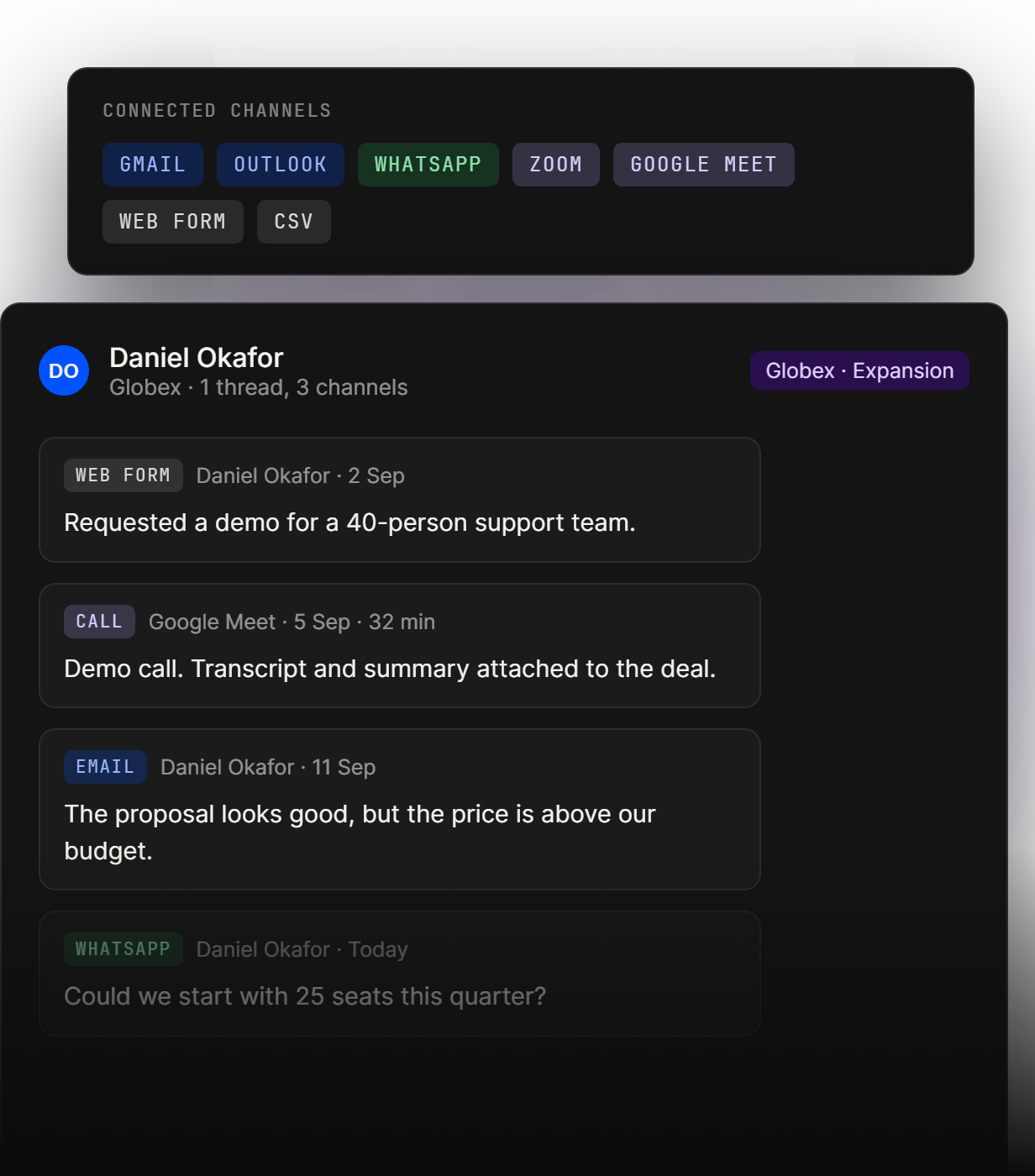
Email, WhatsApp and call transcripts land in one thread per contact, matched to the right company and deal. No copying, pasting or forgetting to log.
02
Know what every conversation means
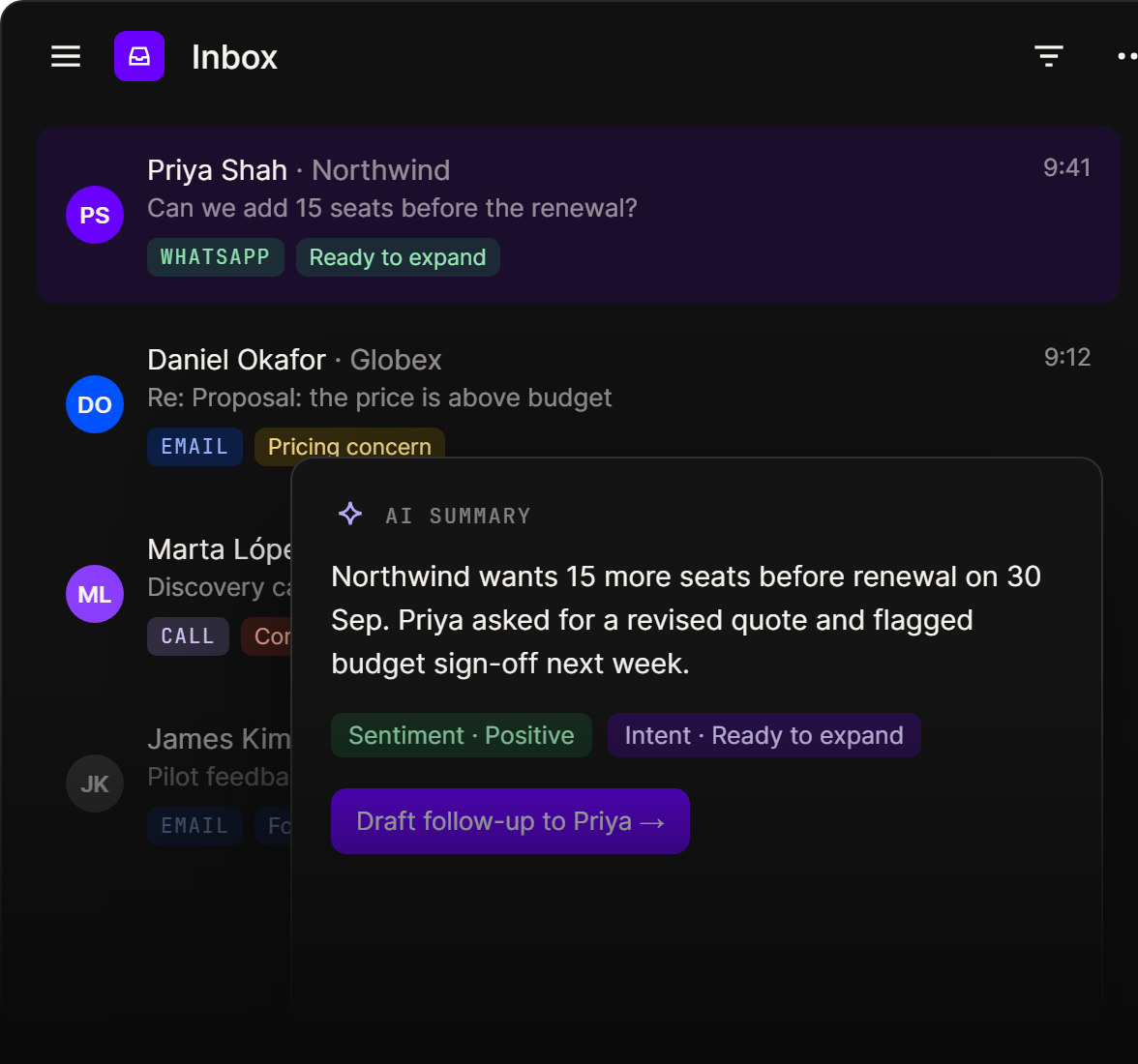
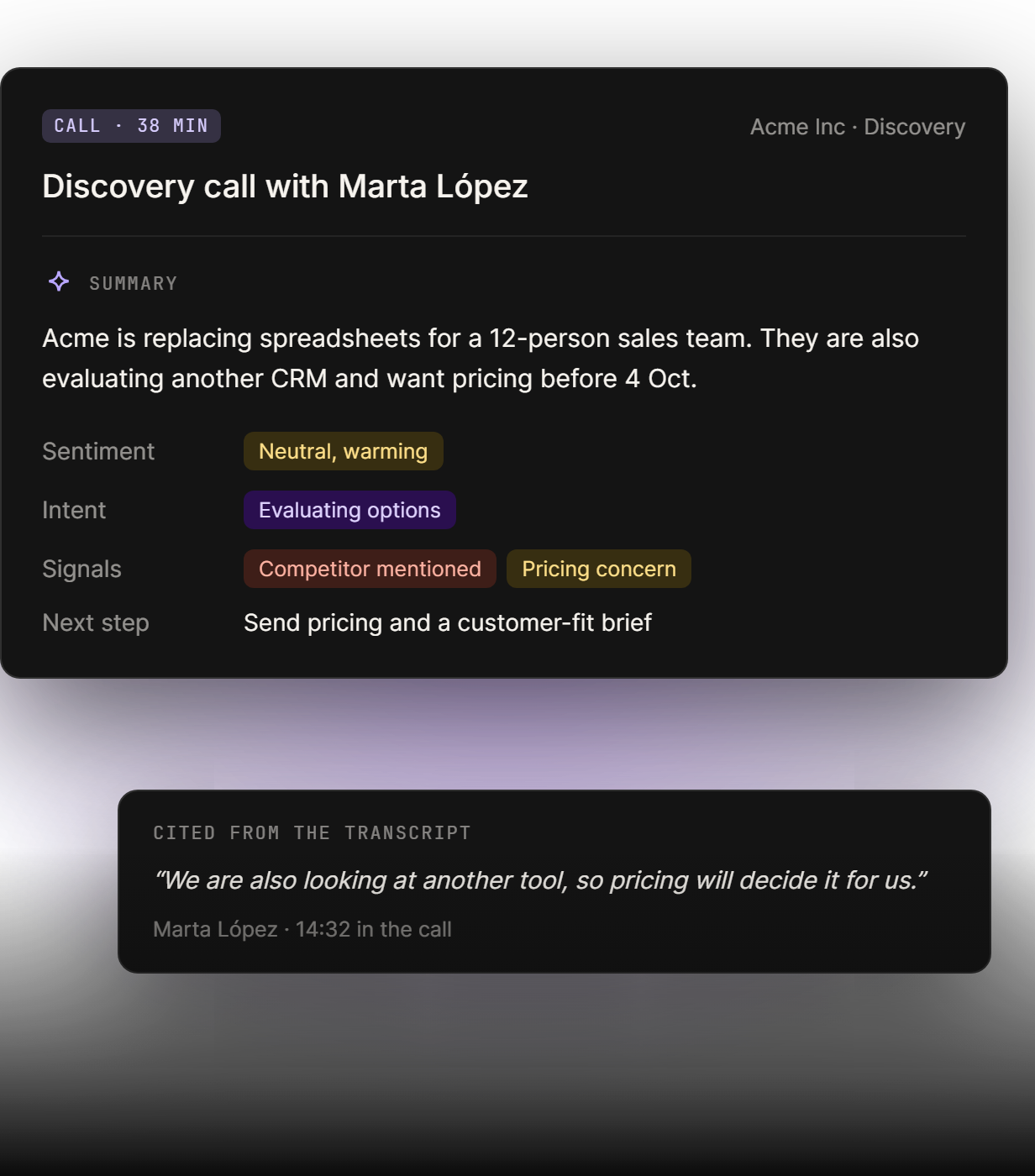
Every conversation gets an AI summary, sentiment and intent, linked to the exact line it came from. Read a two-minute recap instead of replaying a forty-minute call.
03
See which accounts need you first
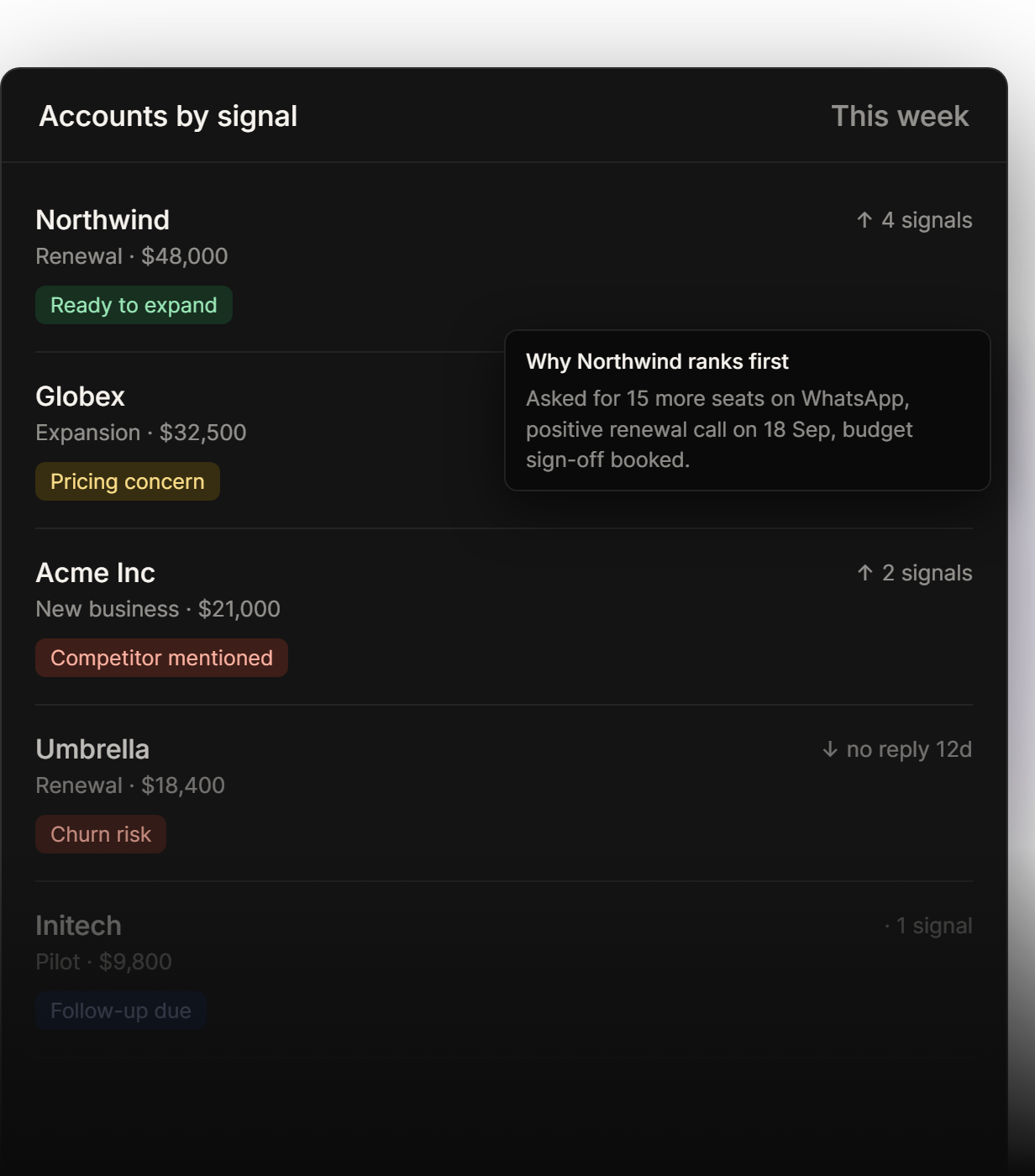
Buying signals and churn risk surface across every conversation, and accounts and deals are ranked by them: pricing concern, ready to expand, competitor mentioned.
04
Turn a thread into the next step
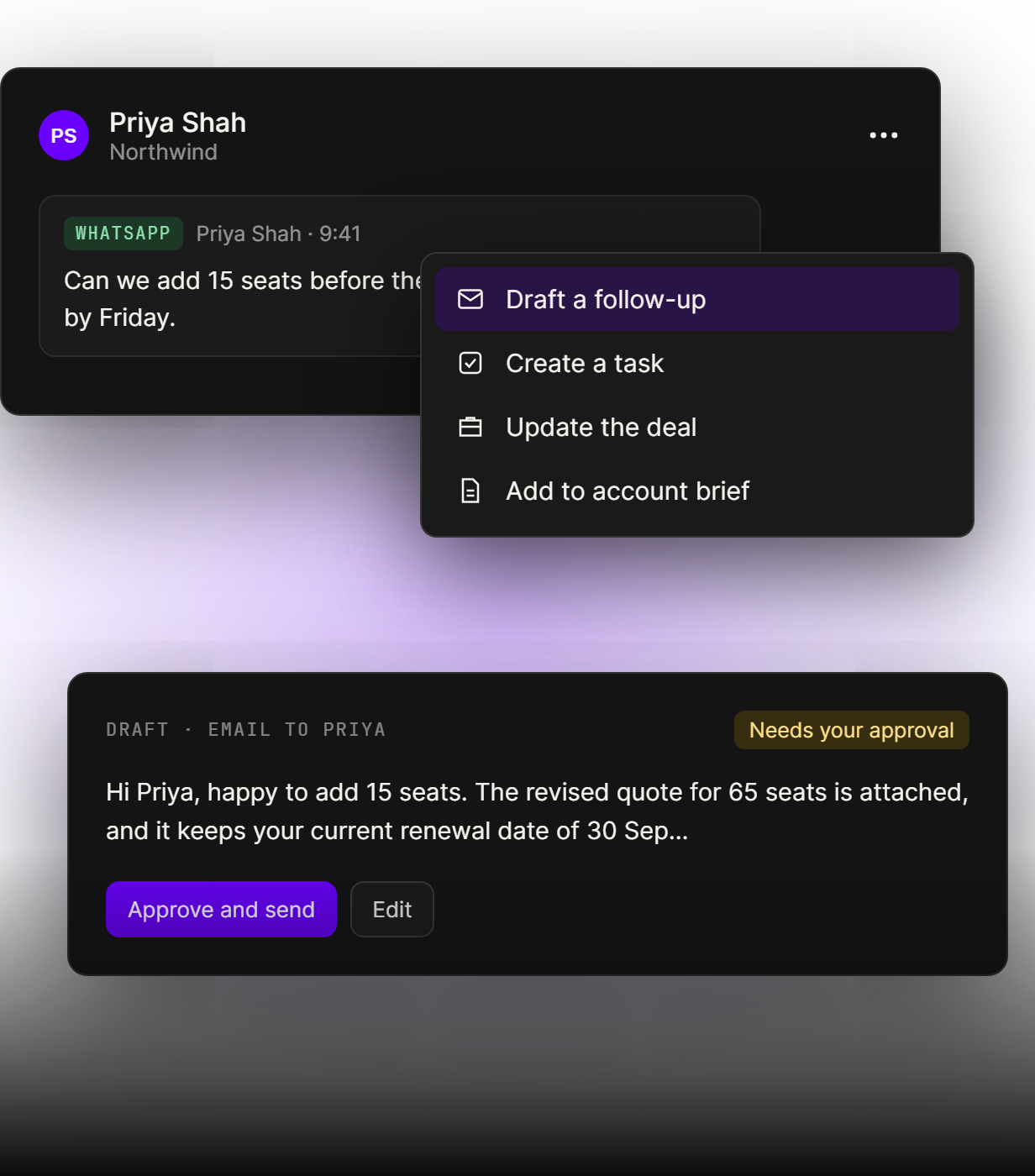
One click turns a thread into a task, a deal update or a follow-up draft. Agents write the draft with the context included, and nothing is sent until you approve it.
01
One thread per contact, every channel
Email, WhatsApp and call transcripts land in one thread per contact, matched to the right company and deal. No copying, pasting or forgetting to log.
02
Know what every conversation means
Every conversation gets an AI summary, sentiment and intent, linked to the exact line it came from. Read a two-minute recap instead of replaying a forty-minute call.
03
See which accounts need you first
Buying signals and churn risk surface across every conversation, and accounts and deals are ranked by them: pricing concern, ready to expand, competitor mentioned.
04
Turn a thread into the next step
One click turns a thread into a task, a deal update or a follow-up draft. Agents write the draft with the context included, and nothing is sent until you approve it.
Inbox for

Sales follow-up
Every email, WhatsApp message and call lands on the right deal, so reps see the whole conversation before they reply. Agents draft the follow-up, and you approve it before it goes out.

Renewals and churn risk

Shared inboxes

Team handovers

Buying signals

Founder-led sales
Spot
the signal,
act before the deal slips
See buying signals and churn risk across every conversation, and reach the right account before it becomes a problem.
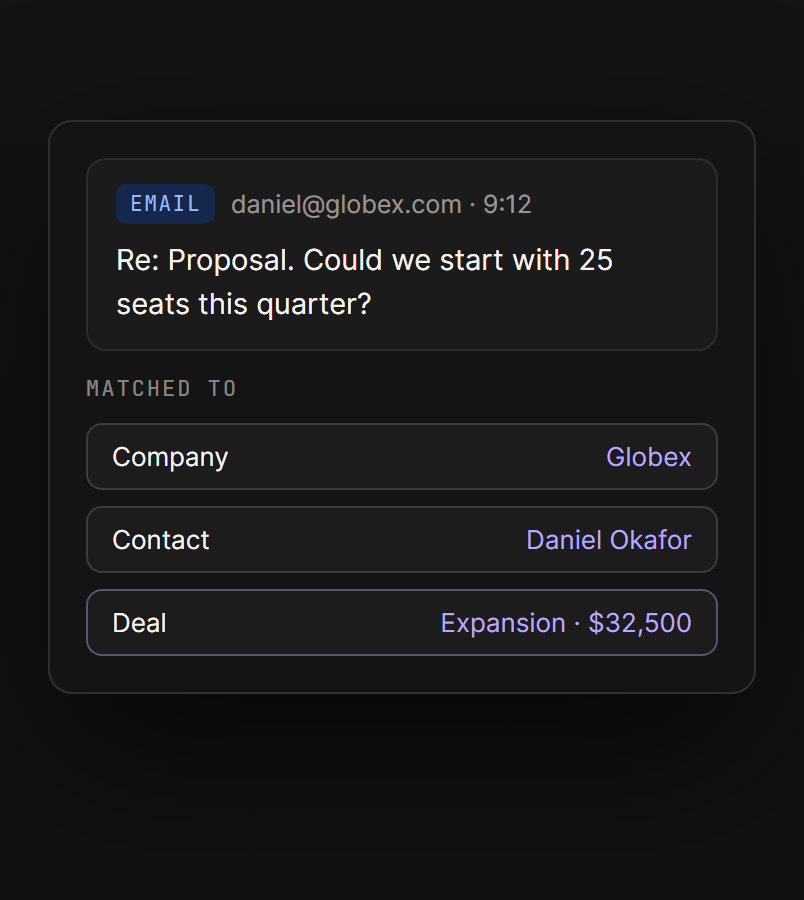
Matched to the right deal
Every message is linked to its company, contact and deal automatically, so the full history lives in one place.
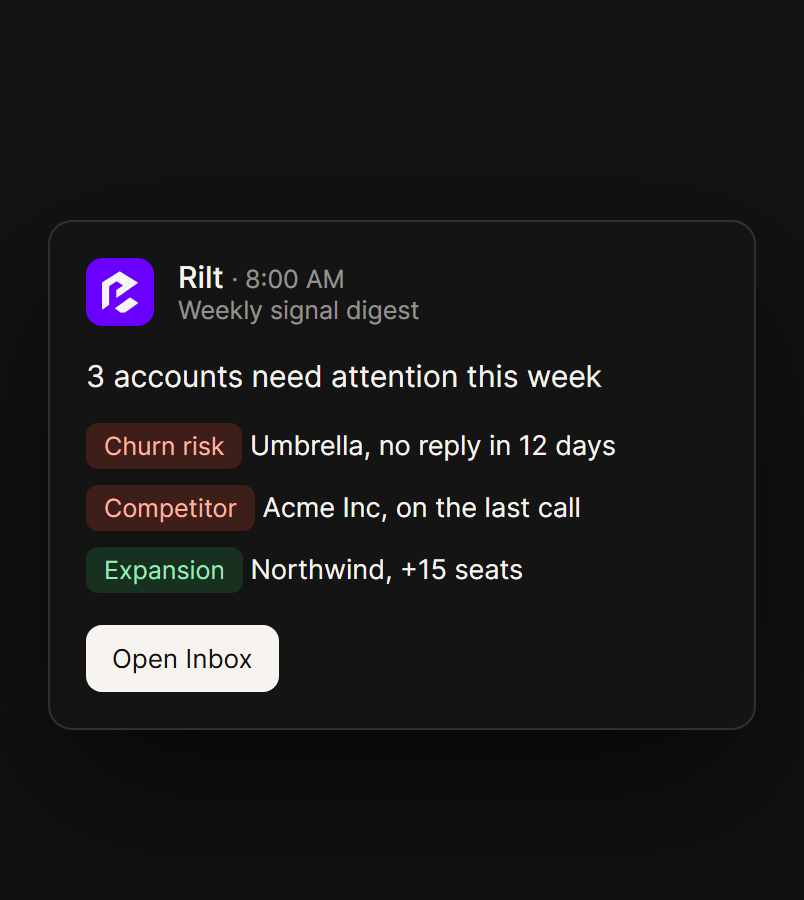
Alerts on buying signals
Get a weekly digest in Slack or email of accounts showing churn risk, pricing concerns or intent to expand.
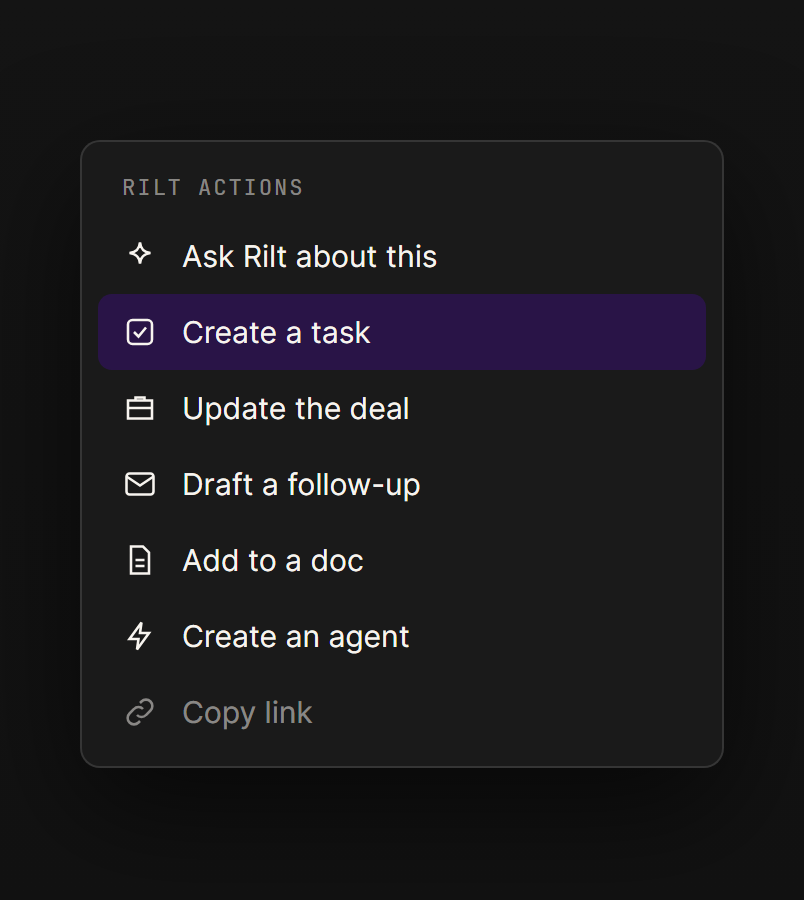
Actions menu
Create a task, update a deal, draft a follow-up or ask Rilt about any thread, straight from the actions menu.
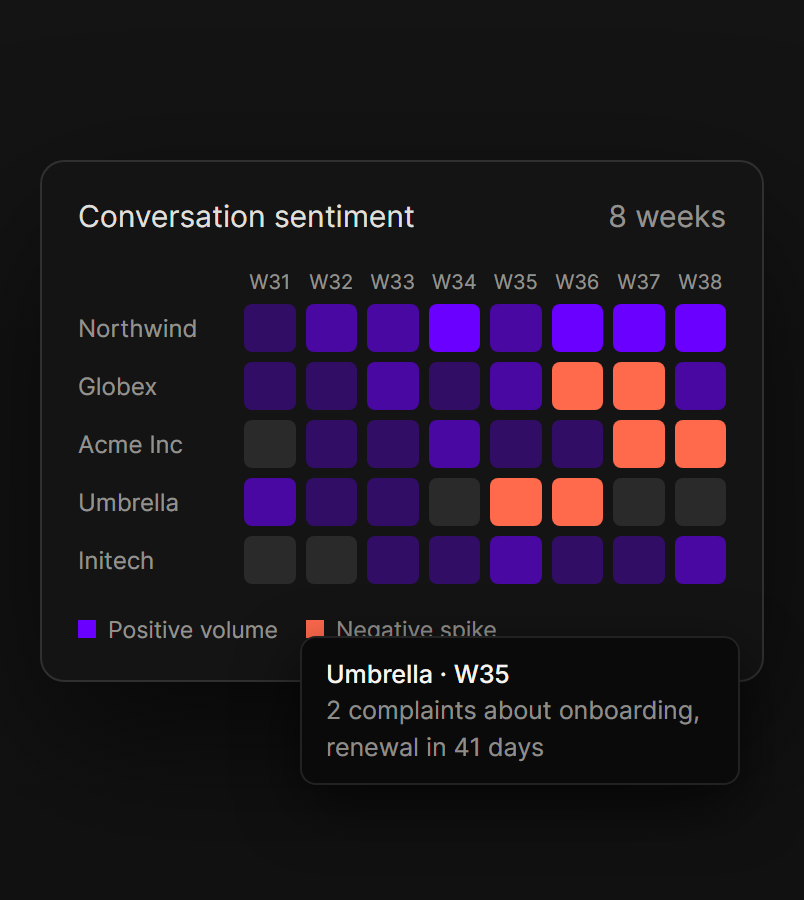
Sentiment over time
See how sentiment moves for each account week by week, and catch a negative spike well before the renewal.
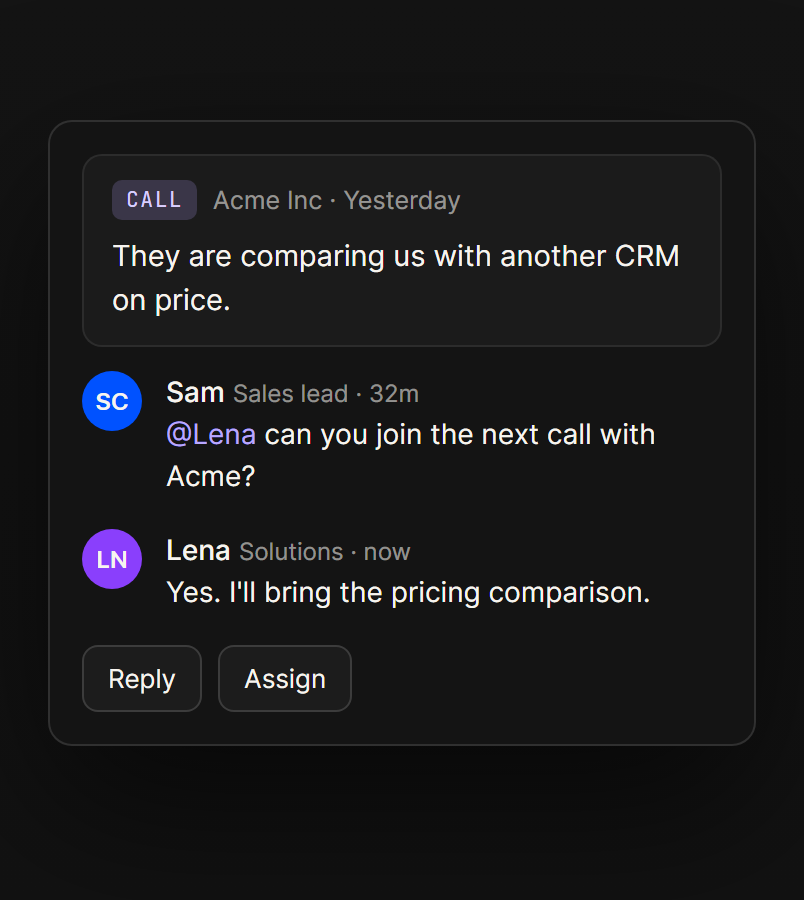
Work a thread together
Mention a teammate, assign the thread and keep every comment next to the deal it belongs to.
Get
 more
more
from every conversation
The value isn’t in the inbox. It’s in what your team does next.
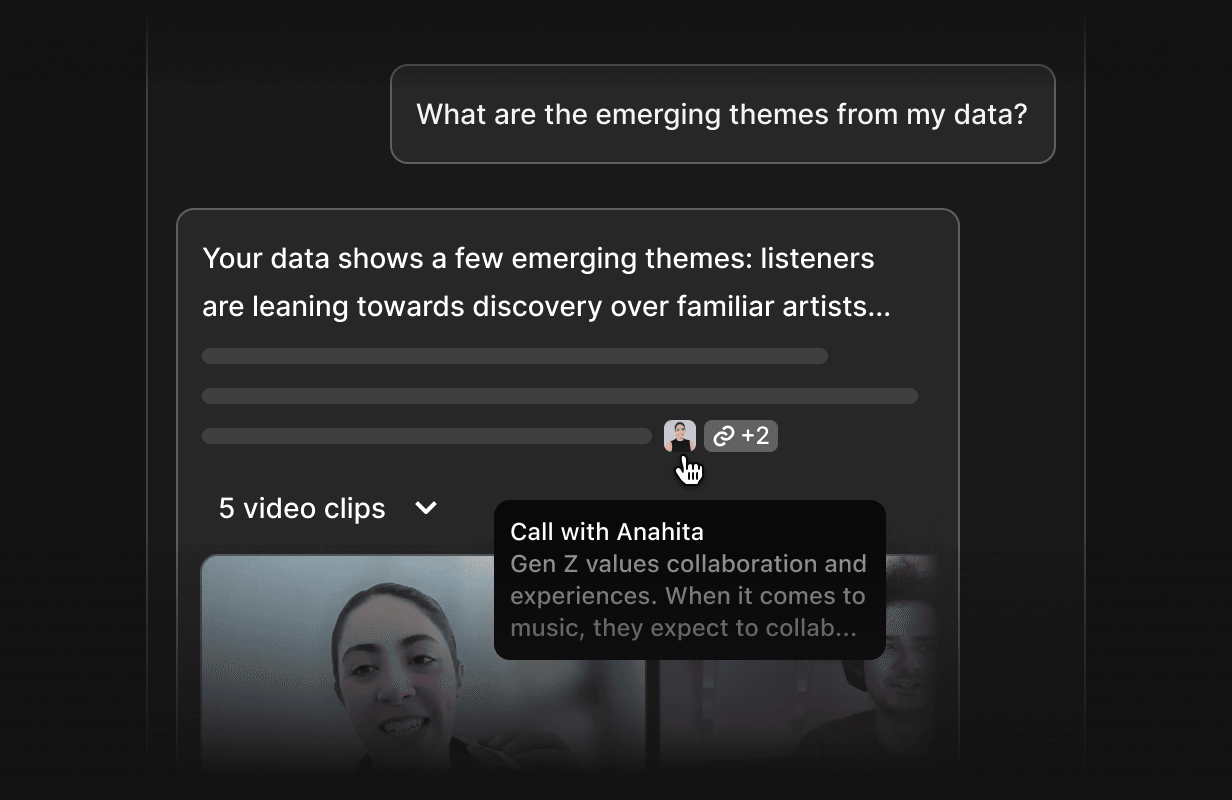
 Ask Rilt
Ask questions across every conversation in plain language and get answers that cite the emails, calls and messages they came from.
Learn more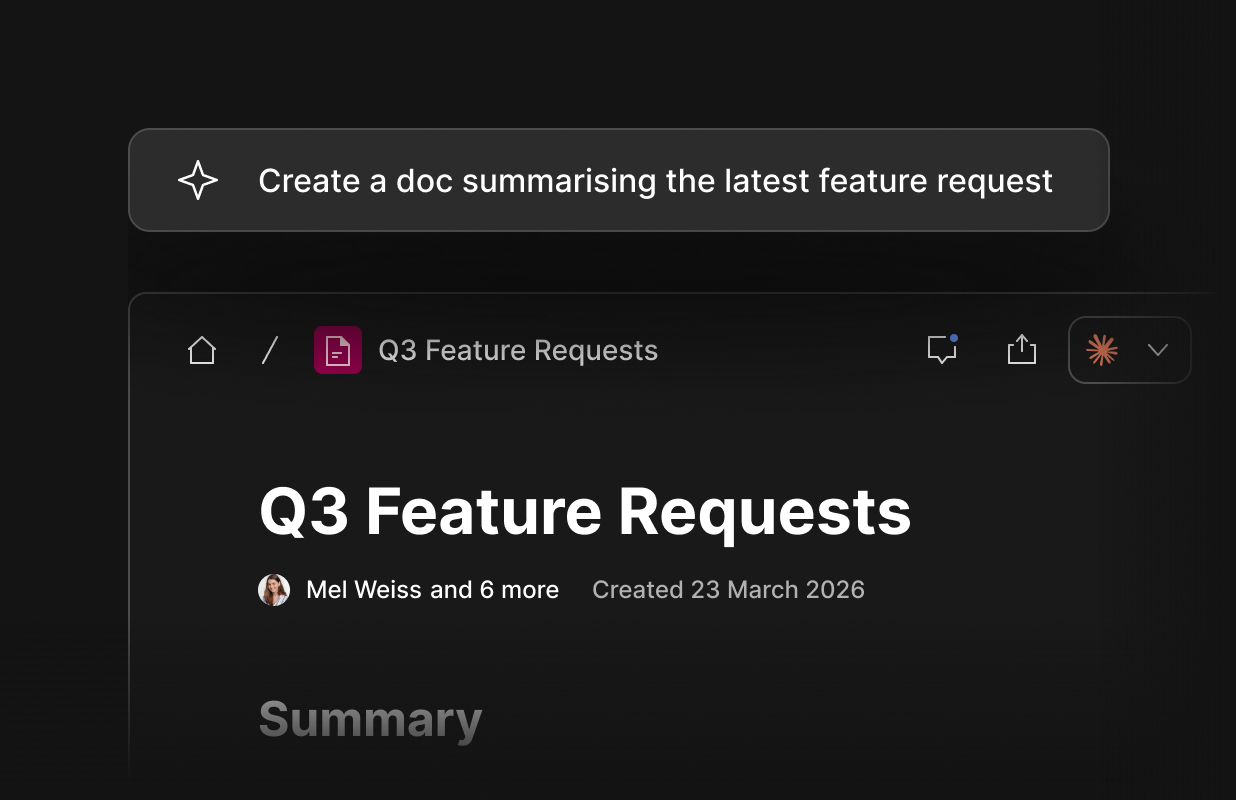
 Docs
Docs
Turn a thread or an account’s history into an account brief, proposal or handover note, linked back to the conversations behind it.
Learn more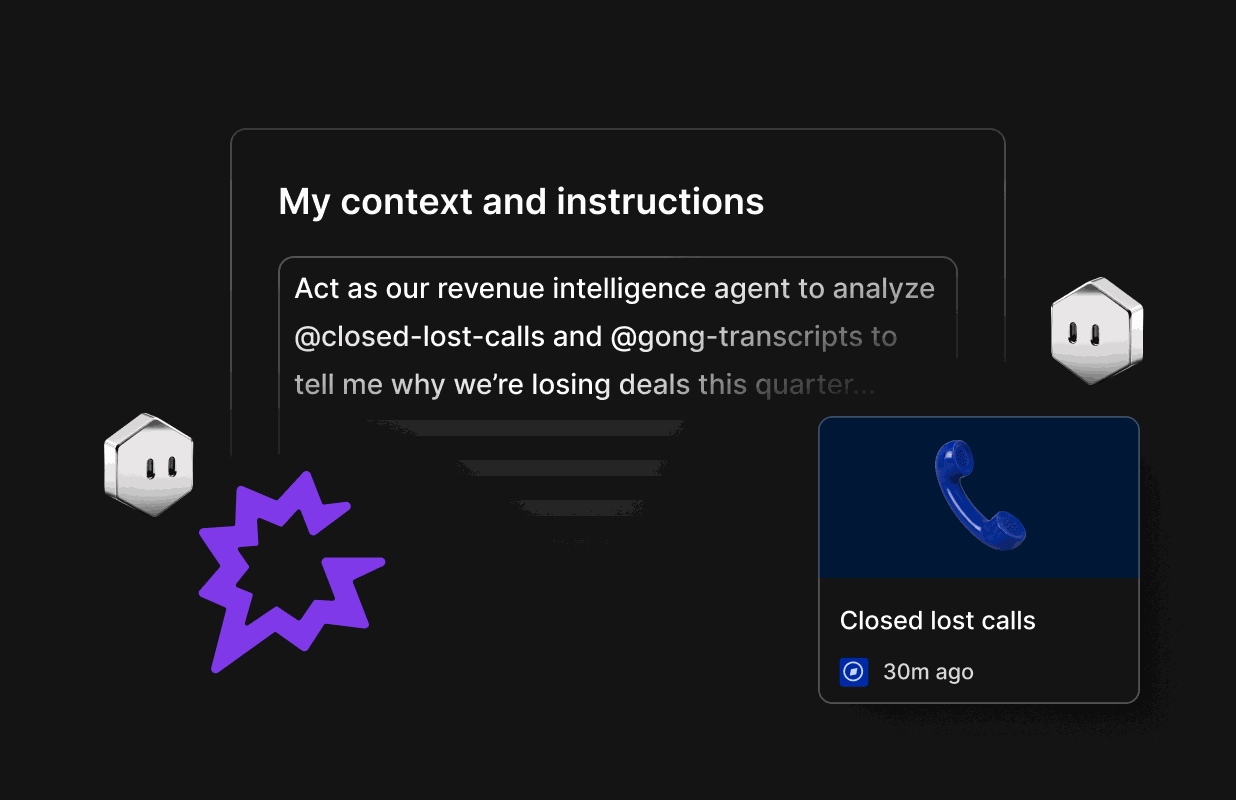
 Agents
Set up an agent to watch your inbox, flag deals that go quiet and draft follow-ups, with alerts in Slack or email. It always asks before sending.
Learn moreFAQs
Inbox brings email, WhatsApp and call transcripts into one thread per contact, matched to the right company and deal, with an AI summary on every conversation.
Every conversation shows sentiment, intent and a short summary with the evidence behind it, so reps know where a deal stands before they reply, instead of guessing.
By the signals in their conversations, such as ready to expand, pricing concern or competitor mentioned, weighed against deal value and how recently they came up.
Gmail and Outlook email, WhatsApp Business, call recordings from Zoom and Google Meet, web forms and CSV import all feed the same thread per contact.
Yes. One click turns a thread into a task, a deal update or a follow-up draft, with the conversation linked so whoever picks it up has the full context.
Sales, customer success and founders all work from the same threads, so everyone can see what the customer actually said.
Yes. Inbox matches each email, message and call to the contact, company and open deal it belongs to as it arrives. When a match is unclear it asks you once instead of guessing, so nothing sits in a queue waiting to be logged by hand.
Yes. Alongside the built-in signals, you can add your own, each with a name and description, such as a product line or a renewal clause. You can edit, rename or archive any signal at any time, so the list keeps up with how your team sells.
Yes. Every connected channel, from email and WhatsApp to call transcripts, is read for sentiment and intent, then merged into one view per contact. A pricing concern raised on a call and repeated in an email is grouped as one signal, not tracked as two.
No. Your conversations are encrypted in transit and at rest, access follows your workspace roles (Owner, Admin, Member), and your data is never used to train shared models. Inbox with email, WhatsApp and calls is part of the Enterprise plan, and the Free plan includes email sync.